¶ Department User Guide
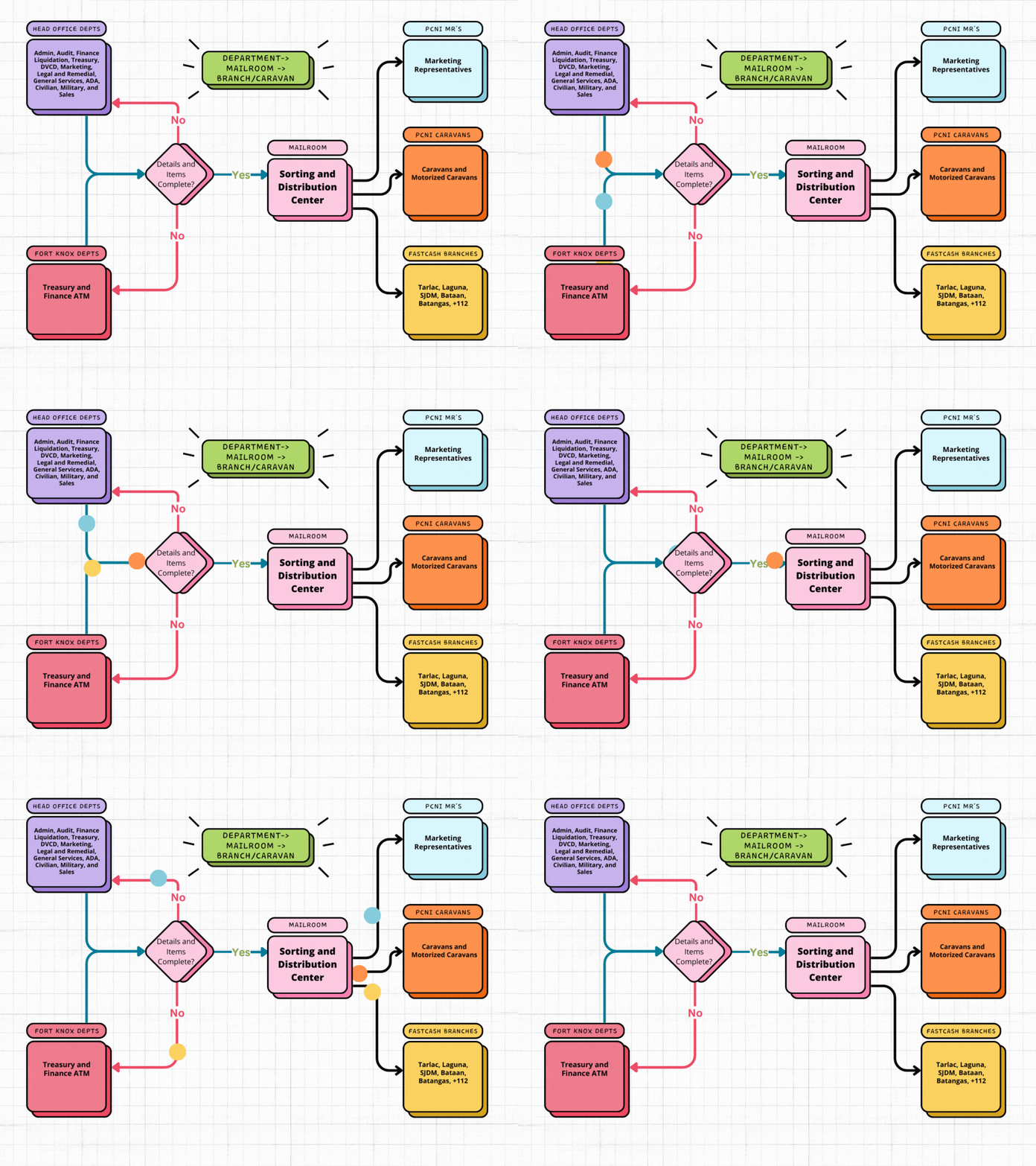
¶ Pouch Process Flow Overview
The pouch process flow involves departments receiving, handling, and sending pouches to the mailroom for further distribution. This guide provides instructions specifically for departments on how to manage pouches within the Pouch Receiving System.
¶ Pouch Creation (Department to Mailroom)
-
Pouch Creation (Department):
- Gather items to be sent to specific branches, caravans, or MRs.
- Create and encode the list of items into the Pouch Receiving System.
- Pouch status will be "Pending".
-
Pouch Handling to Mailroom:
- Send the pouch to the mailroom.
- Mailroom reviews and approves/rejects the pouch based on its contents and completeness.
- If approved, mailroom creates a pouch with relevant tracking number and dispatch details.
- If rejected, communicate the reasons for rejection to the department for necessary actions. Create pouch again with correct details to continue sending.
- Pouch status will be "In Transit" upon approval.
¶ Pouch Receipt and Handling (Mailroom to Department)
- Receipt of Pouches:
- Mailroom delivers the pouches to designated departments.
- Departments will verify the contents and condition of received pouches against the provided description.
- If items match the quantity and description of the items in the system, department will tag the items as "Received".
- If there are issues in the items received, notify the mailroom so they will tag the item as "With Issue".
¶ Issue Handling
-
Issue Identification and Reporting:
- If any issues are identified with the contents or condition of the pouches, immediately notify the mailroom.
- Mailroom will utilize the Pouch Receiving System to tag the pouch with the specific issue encountered and provide detailed remarks.
-
Communication with Mailroom:
- Consistently communicate with the mailroom until the issue is resolved.
- Provide updates on the status of the issue and any additional information as needed.